Author Archives: Michael Marks

Something Very Profound

“Imagination is more important than knowledge. Knowledge is limited.” … Albert Einstein, printed on signage located inside Penn Station, New York. Noticed while sitting in the station.

Damn! I’ve thought about this but never articulated it. That’s why Einstein was … well, Einstein … and I am … well, me.

Think about just how profound this simple little statement is! This one is a real beaut as  my doctor from Alabama would say. Yet another wonderful takeaway from my Coney Island outing last week. But to catch something like this you have to really keep your mind’s eye open for the many little and sometimes not so little tidbits out there. And then if need be, write them done or memorialize them in some other way. That way you won’t ever forget them when you need them.

Turns out that what Einstein said makes so much sense in life and in art! In the case of our photography, it doesn’t matter how much technical knowledge and skill you or I have to make the perfect print … it’s not worth a damn if it’s an emotional snoozer!

So what does it take to make a wonderful image?  I believe it’s a combination of being in the right place at the right time, some good luck … and yes … some real imagination!

Stay well,

Michael

My Coney Island Outing

Ever since my doctor talked me into skipping this year’s Coney Island Mermaid Parade in July … he told me I WOULD end up in the emergency room there if I went … I’ve been wanting to go back there again. Yah, the mermaids weren’t going to be hanging out, but I felt bad about not being there. So for something different I decided to wait until the fall when the amusement rides and other stuff would be shut down and the crowds would be gone. Just the boardwalk, the almost empty beach, the empty rides and Surf Avenue.

You never know how and an outing like this will work out. I was trying to find the right day this past week that would fit into my work schedule, and not be raining, cold or windy. Saturday looked to be right. Sixty five and sunny. The alarm was set for 5:30, but of course it never went off because my mental alarm went off before 5. I’m not sure why I set alarms anymore because I always wake up before they go off, no matter what time it is #@$%^&*(!

No matter, I was out the door by 6 and got to the Hamilton, New Jersey train station in time to park and catch the 7:04 to Penn Station. From there I walked a couple of blocks to 34th Street and hopped on the subway to Coney Island.

The Coney Island stop is the last one the Q train makes, so it takes a while to get there. I had plenty of time to think about what was coming up, or just daydream, but instead a gentleman with an interesting Spanish accident and not the greatest English asked me if I he was on the right train. It took several times, but I finally figured it out he wanted to go to Brighton Beach and thankfully he was heading in the right direction. Funny, because when I’m in New York, I’m the one always asking if I’m on the right train!

I had a wonderful time walking around Coney Island and made a few good pictures. The weather was gorgeous and it was wonderful to sit on one of the many boardwalk benches for a while just to stare at the ocean.

But what I enjoyed just as much Coney Island was the enjoyable conversation I had with the painter and retired professor of art from Bogata, Colombia. He was on his way to visit his son, so we shared some images on our phones, and talked about our children until we reached his stop. The time passed quickly and before I knew it we shook hands and said goodbye. I look forward to hearing from him when he returns home.

Yes, photography is really about the journey … at least it is for me. If I get to make some meaningful pictures along the way, all the better.

Stay well,

Michael

A Basic Guide to Photographic Bliss and Making Better Pictures … A Series of Periodic Musings … #11 Use the Zone VI Compensating Development Timer for Print and Film Development

Simply put, my Zone VI Compensating Development Print Timer may be the second most important item in my darkroom after my enlargers! For me it’s absolutely essential and incredibly useful! To find out why read on another entry I wrote a while ago and slightly edited to bring it up to date. Trust me on this one … it will be worth it!

The standard temperature for most film and paper developers is 68 degrees Fahrenheit.  Of course you can use slightly higher or lower temperatures and adjust development time accordingly.  However, it is often difficult to control developer temperature, if only because of the time of year you happen to be in your darkroom!

I know a lot of people don’t think this is a very big deal, but I do. I want the mechanical processes I do in the darkroom to be consistent and fully repeatable and not something I have to think much about.  Why create variables to worry about when you don’t have to?  Trust me, repeatability and consistency is what really we want for non-creative darkroom tasks!

So let’s say you’re developing duplicate of the print you made last fall using your standard development time of 2 minutes. It’s summertime and the outside temperature is in the upper Eighties.  The temperature in your darkroom is around 73 degrees and you can’t get the temperature of the water used to dilute your developer stock solution much below that (Note: Maybe some of you are lucky to have your darkroom located on a main floor of your house, but most people I know have them in their basement, or even attic, where temperatures are not well controlled). Ok, you can adjust your time for the new developer temperature or you can throw some ice cubes in the water used to mix the solution. No problem … right?  Well, maybe not, because putting your hands in the tray to agitate your print(s) causes the temperature to rise. Furthermore, your developer temperature will start to climb based on the room temperature.

Now it’s winter and the outside temperature is 28 degrees.  The temperature in your darkroom is in the low Sixties at best. No problem getting the water to 68 degrees, but soon the temperature of your solution is going to start to drop even with the heat coming from you hands.  I have measured temperatures of my print developer as low as the Fifties!

If you kept a print recipe and followed it (something to be discussed in an upcoming entry), it’s no wonder that the original print you made in the fall looks different … and better … then the ones made in the summer or winter if produced under the conditions described above. Why?  Because you have no clue what your temperature really is at different times during your standard 2 minutes of development.   No problem, you say … just go ahead and do a new test strip whenever you make a print. Well, go ahead and knock yourself out.  Or maybe you never make another print of something you have done previously.  I guess I don’t know how to respond to that one.

Wouldn’t it be much nicer if the print you made in the summer or winter looked exactly like the one you originally made in the fall?  Ah … yes!

OK, now let’s talk about film. Same deal as developing your prints. Whether you are developing sheet film in trays or roll film in tanks with manual agitation, or even when using Jobo processors with temperature control units, it can be difficult to establish and maintain temperature control.

What to do?  For over 30 years I have used the Zone VI Compensating Development Timer and in my humble opinion it is the most brilliant darkroom tool ever created! Why? Simple … it’s digital timer with a sensor attachment that is placed in your print (or sheet film) developer tray, or in a water bath of the same temperature as the developer in your film development tank.  The sensor continuously transmits the “real” temperature of the liquid to the timer, which continuously compensates each second of counted time.  The timer also has a foot switch that makes life even easier.  So let’s say your standard development time for prints is 2 minutes at 68 degrees, and for film it’s 5.5 minutes.  First you select the “Paper” setting on the front of the timer (there are two other settings for “Film” and “Real Time”). Now you place your sheet of paper in the developer tray and step on the foot switch to start the timer.  But the “real” developer temperature is only 63 degrees … not 68.  Guess what happens!  The duration of time for each second counted off (both visually and audibly) actually becomes longer to compensate for the colder solution!!!  If the developer happens to be 78 degrees, the duration of time for each second counted off is shorter than normal.

The digital readout on the timer shows 2 minutes of compensated time regardless of how much actual time has elapsed. It could be 1 minute and 55 seconds, or 2 minutes and 10 seconds depending on the temperature of the solution.  IT DOESN’T MATTER!  I smugly remove the print when the timer says 2 minutes of temperature compensated time has elapsed. Simply brilliant!!!

Unfortunately these wonderful devices are no longer manufactured. However, they are available occasionally on eBay, but can be somewhat expensive.  I recently saw one for a good price and purchased it as a backup just in case mine were to die someday.  Honestly, I could not live without one of these marvelous devices.   So what if you can’t find one on eBay, Craigslist, or the photo forums?  No worries.  A software-based solution that comes with a temperature probe is available. It is called CompnTemp. RH Designs manufactures a compensating timer called the Process Master II, and DLG Electronics makes a modern version of the Zone VI timer! And for a film-only development solution, CatLABS makes a compensating timer designed to be fitted to any developing tank cap!

I can only speak for the Zone VI timer, which is an utterly simple … and in my experience … bulletproof device that does what it is designed to do with perfection. You can be patient and one will turn up, or look into the other neat options.

In any case, make this investment and lower your darkroom frustration level forever!!

Stay well,

Michael

Just Do Something, But Don’t Stop Having Fun!

The sh_tshow continues its daily run with so many steaming turds thrown our way. From illegal detentions of US citizens at the hands of masked tough guy thugs, to the invasion of our cities by federalized National Guards, to attacks on non-combatants in international waters, to directed gerrymandering, to so much more. Perhaps the saddest, most heartbreaking atrocity of all this past week was the horrible and disgusting demolition of the historic national landmark that was once the East Wing of the White House … the People’s House. The intention is to wear us down with so much each day that we collectively throw our hands up in the air and give up thinking there’s nothing we can do about it.

I’m here to tell you not to fall into that trap!  The key is to do something … anything you can within your comfort zone, and if you want to push yourself, maybe go a bit outside that.  Below are links to two great pieces I read, filled with ideas about what you can do to make a difference RIGHT NOW. But one of the most important things mentioned … and I’ve seen this said elsewhere … is not to give up what’s fun in your life … what makes you happy.  That’s what they want you to do. Do that and they’ve broken you.

So take a look at these two excellent articles and keep making pictures that are meaningful to you. That’s fun! And if you can’t find the time to photograph as much as you’d like, then do some other things to keep your head in the game and continue to maintain a photographic life. Like going to exhibits, or buying a new monograph or biography of a photographer you admire.

Don’t disengage and don’t give up!

https://contrarian.substack.com/p/15-ways-you-can-fight-for-democracy/comments

https://contrarian.substack.com/p/15-more-ways-you-can-fight-for-democracy?utm_source=substack&utm_medium=email

Stay well,

Michael

A Basic Guide to Photographic Bliss and Making Better Pictures … A Series of Periodic Musings … #10 Make Proper Proofs and Create a Filing System for Easy Retrieval of Negatives and Corresponding Proof Sheets

I’m not trying to be lazy, but again here’s some really great stuff I wrote a while ago and slightly edited!

I hope most of you make proof sheets, but for those that don’t, it’s time to hop on the bandwagon! First of all, the most important reason to make proof sheets is to catalog your negatives and know what you actually have. Duh!  If you don’t have proof sheets you are setting yourself up for a lot of wasted time. Forget about making printing decisions based on viewing your negatives on a light table, or worse by holding them up to the light.  Of course that is if you can find what you’re looking for!  And if your negatives are properly developed they’re all going to look good.  So what you need is more information!

I have a simple filing system that works for me, and you might find it works for you. I have all my negatives contained in clear archival Print File Negative Preserver Pages that are stored in three ring archival closed box binders to keep any dust out.  Separate binders for each film size.  Each page is numbered and has the same numeral as its matching proof sheet contained in a separate but corresponding loose-leaf binder. With each proof sheet are print recipes and other notes for each image printed from the particular roll of film or set of large format negatives. Now that is simple and sure makes things easier to find!

Wanna turbocharge your filing system to locate that elusive negative? Make a Microsoft Word table or if you have more computer skills than me create a Microsoft Excel spreadsheet. For each negative size (e.g., 35mm, 120, 4×5, etc.) that you have books for, create a simple table consisting of three columns – (1) Roll/sheet page number; Proof Sheet Title; and Year Made. You can decide how you wish to sort the columns – by year, alphabetically, etc. It’s up to you!  Then you add the information taken from your numbered and titled proof sheet pages.  Ok it’s a little bit of typing but once finished you will have a completely searchable database (using the “find” function) and you will always be able to locate that one negative you can’t seem to find!

What else is the proof sheet good for? Well several things. After knowing what you have, the next important thing to determine is what you actually want to print!  By carefully studying my proof sheet, I first decide if it contains anything worth printing.  If I think it does I take my marking pen and draw a rectangle around the image(s).  That’s a time saver too because I usually print images sometime after the proof sheets have been made. Why have to go back and do the same thing all over again?  Another thing the proof sheet tells you is whether your negative exposure/development was good or not. Depending on how bad things look, you may not want to try to print that negative (truth be told … I have made many successful prints where the proof indicted exposure issues … thank you Tri-X!).

Finally, as mentioned above, there is the matter of cropping and image size consideration.  Looking at the proof sheet really helps me here and saves me a lot of time later when I’m in the darkroom.  I think the worst thing you can do is try to make cropping decisions based on what you see projected onto your easel. Less so with image size decisions, but the proof sheet does help me to get a good idea of what I want to do here.  So in addition drawing a rectangle around any pictures I want to print, I mark any cropping to be done.  Now when it is time to print I know exactly what I am going to do and get right down to the task of making a successful image!

The above having been said, the best proof is a “proper proof”.  This is a concept developed by Fred Picker and I think it makes great sense. Making a “proper proof” sheet is the quick and easy way tell you whether your exposure and/or development are on target. Fred formalized the proper proof concept and described it in an easily understood and useable manner. He states the rationale for making a proper proof and how to do it so well that I would be foolish not to quote him verbatim.  The following can be found in the Zone VI Workshop on pages 38-39:

“A properly made proof sheet is an invaluable printing aid as it contains all the information about the negative with respect to exposure, contrast, and composition. I never attempt to print a negative until I have made a proper proof. In addition to filing and selection information, a rigid proofing procedure can be a constant check on meters and camera shutters and any manufacturing changes affecting film speed or contrast characteristics.

Test for Proper Proof Exposure

 Put any negative in the enlarger, set up for about an 11×14 print and focus. Mark the enlarger column with tape or magic marker and a corresponding spot on the movable head so that you can find this exact elevation in the future. Remove the negative and replace the empty negative carrier. Position the proofer (contact printing frame) in the center of the light cast on the countertop or easel.  Stop down the lens to f/8. Turn the enlarger off and set the timer for three seconds. Lights out except safe lights. Place a sheet of your normal enlarging (not contact) paper face (shiny) side up on the open proofer. Use your regular enlarging paper #2 grade or if variable contrast paper – not filter. Now lay the strip of (but developed and fixed) film dull side (emulsion side) down on the paper. Use the blank film from the development time test. Marks Note: This is from the development time test Picker discusses elsewhere in his book and I address in my Step 1.

 Close the glass over all and give a 3 second exposure.  Cover the right hand end of the film (about an inch) by laying a cardboard on the glass and give another 3 second exposure. Continue moving the card one inch to the left between exposures until you reach the end of the film.

Remove the paper and agitate it constantly for 2 minutes in your print developer (I like Dektol diluted 1:2 as directed). Agitate in stop bath (1-1/2 oz. of 28% acetic acid per quart – a 50% stronger solution than for film) for 20 or 30 seconds and turn on the room lights. You will see gradations from light gray to jet black in one inch stripes across the film. Locate the stripe that is the first one to match the next one in blackness.  As in the film development test, we want the minimum exposure that will produce the maximum black through the clear film. Identify the first completely black stripe – not the very dark gray one next to it. This will vary with the brand of paper, enlarger, illumination, lens opening, etc.  If the time is under 9 seconds, retest, closing one stop to refine the result.  If over 24 seconds, open one stop and retest. Fix, wash, and dry and then located the first maximum black stripe.

Write down all the information on the chart in this book. In my case I have a notebook of information that this is contained in.

Other films or other sizes of the same film will require different proofing times due to varying base densities. Test them all. Write them down on separate charts.

This is now a standard for this film and all future proofs are made exactly the same.

To make an actual proof, substitute negatives for the clear film used for the test and give the negatives the exposure you have written on the chart.

The proper proof will tell you all about your negatives. I know a professional whose proof all show the film edge as gray.  He has been underexposing his negatives – for years.”

******

So there you have it. Some very good reasons to make … and use proper proof sheets and how to file them!  The more you standardize and simplify the better off you are. Save the creative juices for what counts! If you’re not doing both of these things then you need to get crackin!  Trust me on this!

Stay well,

Michael
Another Zombie Experience

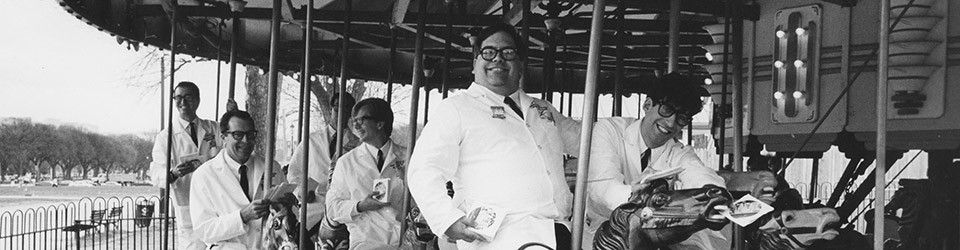
Two weekends ago I drove up to Asbury Park again to photograph the annual Zombie Walk. I had high hopes for the zombies, but there seemed to be a lot less of them this time around, and for the most part they were pretty tame looking. They clearly need to up their game!

Anyway, I made a few pictures. But now what? Start looking elsewhere to see what’s available. In other words Plan B … the non-zombie bystanders!

I ended making fifteen exposures with my Plaubel Makina. Talked to a few in the crowd and spent a lovely afternoon on the boardwalk overlooking a ocean. Then capped off the day by driving home with the top down!

Sometimes you need to need to find a way(s) to turn lemons into lemonade. Maybe even get some unexpected keepers.

All and all a very nice outing.

Stay well,

Michael

Takeaways from the Paula Chamlee Mixed Media Exhibit

This weekend was gorgeous, as fall took a break and summer reappeared. On Saturday I was at the Jersey Shore to attend and photograph the annual Asbury Park Zombie Walk. On Sunday, I drove along the shore of the Delaware River with the top down to Erwinna Pennsylvania in Bucks County to see an exhibit of Paula Chamlee’s photographs, abstract drawings, paintings, and collages at the beautiful Stover Mill Art Gallery.

I’ve known Paula for about fifteen years and am very familiar with her beautiful and thoughtful large format black and white photographs. Not so much with her other artwork. This was a chance rectify that!

I’m going to cut to the chase … Paula is an incredibly gifted artist who can do it all (she’s also a terrific teacher)! The small but stunning show was a tribute to quality over quantity, shown in a beautiful setting overlooking the river below.

Included in the show where 8×10 black and white contact prints and large platinum/palladium prints on handmade Japanese tissue of striking images made in Iceland; beautiful color prints of flowers; imaginative collages composed of painted and printed papers, sumi ink, photographs and watercolor; sumi ink abstracts and a wonderful collage made up of an antique tintype photograph on pigment papers, lace and flower pigment.

A visual feast for sure and highly recommended!

You can treat yourself to this wonderful show on October 11-12, 18-19, and 25-26 at the Stover Mill Art Gallery, located on 852 River Road (Route 32), Erwinna PA.

Stay well,

Michael

A Basic Guide to Photographic Bliss and Making Better Pictures … A Series of Periodic Musings … #9 Demystify the Zone System and Make Your Life Easy

Last time I discussed the importance of establishing your correct film speed and development time. It’s necessary whether you use the Zone System or not. I also mentioned Maximum Printable Density (MPD). I love MPD along with another deceptively simple approach to making good exposures and have used both techniques as an easy to use replacement to the classic Zone System.

As before, the following is taken from a previous entry.

When I was younger, my exposures were often incorrect. The results were not what I wanted, or the negatives required herculean measures to extract a good print. I heard about the Zone System and then read Ansel Adam’s book The Negative.  I couldn’t get it but mercifully found Fred Picker’s Zone System Workshop. Everything soon fell into place and all was well in my photographic world.  If you don’t own this book, it’s worth tracking down.

Key point going forward – if you don’t make correct exposures when you are in the field you have wasted your time with all your testing. The first thing on the road to exposure success is to understand that your meter is dumb and sees the world in grey – 18% grey to be exact.  That’s Zone V in the Zone System.  In the Zone VI Workshop Picker uses the example of making pictures of white and black horses using the recommended meter readings for each one.  Looking at the results, both horses are grey.  Once I saw this it all clicked.  Simple and brilliant!  The point is that aiming at your subject and relying on what your meter says may get you acceptable results but not the fidelity you are seeking in your final print.

Most Zone System guys will tell you to expose for the shadows, placing your shadow area on Zone III.  In a slight variant Bruce Barnbaum recommends placing shadows at Zone IV for greater shadow detail. 

An alternative and easy method is to hold a grey card (Zone V) in front of you, take a meter reading of it and set you shutter speed and aperture accordingly. Everything in the scene will fall into place.

My method is to do one of two things. When I am in a fast moving situation such as when making candid photographs, I take a reading of the palm of my hand, making sure there are no shadows falling upon it and open up one stop to Zone VI from what the meter says (Zone V), because Caucasian skin is Zone VI.  Then I keep making pictures without checking the light until it changes. Fast and easy and no need to carry a grey card! If I am photographing a static object like a building and there happens to be white clouds in the sky behind it, I take a reading of the brightest portion of the scene (in this case, the clouds), open up three stops to Zone VIII and make the photograph. Also fast and easy, and the heart of Fred Picker’s Maximum Printable Density (MPD) user-friendly variation of the Zone System. Note for all serious Zone System photographers: I only use Normal development times and don’t worry about making exposures for Plus and Minus development. I agree with Picker that changes in paper contrasts obviate this, but for others this may be a useful procedure.

Once you have done your film speed and development time testing, and feel confident in your ability to make good exposures you are on your way. Depending on the situation, a  simple reading of the palm of your hand/grey card or use of Picker’s MPD system takes much less time and thought, allowing you to concentrate more on the picture itself. It certainly works that way for me!

Unfortunately, many photographers treat the Zone System as a religion that takes serious and ongoing study to unlock its many mysteries. There have been weeklong workshops focused exclusively on the intricacies of the Zone System and for many becomes akin to cult worship.  The point of the Zone System is to make sense of sensitometry and apply it in order to make properly exposed negatives that developed correctly enable expressive prints. Nothing more; nothing less! The key is to find an easy and understandable way to incorporate its principles in support of your work.

Now that we have got all this out of the way, go out and make some damn good pictures!

Stay well,

Michael